Internet access for AI agents · v1.6.0

AgentReach gives your AI agent the platforms it can’t reach

An open-source command-line tool that lets agents such as Claude Code, Codex and Cursor search and read Reddit, YouTube subtitles, GitHub issues, Bilibili, XiaoHongShu and more. Read-only, with one JSON result per call.

Version
1.6.0
License
MIT
Runtime
Python 3.10+
Mode
Read-only
Request flowweb channel
How an AgentReach request flows Conceptual diagram. Input: your agent runs agent-reach read with a link. Operation: the web channel tries Jina Reader first and Exa as the fallback. Output: one JSON result with ok set to true and the items found. 01 · INPUT agent-reach read <url> 02 · OPERATION · TRY IN ORDER 1 Jina Reader PREFERRED 2 Exa FALLBACK 03 · OUTPUT { "ok": true, "items": […] } one JSON object per call
14 channels · 3 levelsv1.6.0
default
  • github
  • youtube
  • web
  • v2ex
  • bilibili
optional
  • reddit
  • linkedin
  • xiaohongshu
  • xueqiu
  • boss
  • xiaoyuzhou
experimental
  • twitter
  • facebook
  • instagram

What is AgentReach

Web search stops at the edge. AgentReach goes the rest of the way.

CLI agents ship with web search and page fetching, but those tools mostly stop at the open web. AgentReach installs and tests the tools behind each platform, so your agent calls agent-reach <channel> <action> and gets clean, structured results back.

  1. Features behind a loginListing an X account’s posts, searching Reddit, reading LinkedIn job details or XiaoHongShu notes.
  2. What’s inside a videoYouTube and Bilibili subtitles, plus speech-to-text for YouTube videos and Xiaoyuzhou podcasts.
  3. Chinese platformsBilibili, XiaoHongShu, V2EX and Xueqiu, which general search covers poorly.
  4. Clean structured dataXueqiu quotes, V2EX topics and replies, GitHub repos and issues, already cleaned up.

Features

Built for agents, not for crawling

Every capability runs through one command and lands in one predictable format, so the agent spends its effort on your question rather than on tools.

01 · Coreagent-reach

Channel and action, nothing else to learn

Every platform is a channel with its own actions. agent-reach channels lists them all, and agent-reach read <url> picks the right channel from the link by itself.

agent-reachcommand
youtubechannel
searchaction
"LLM agents"args

Shortcut: agent-reach read https://www.v2ex.com/t/123 chooses the V2EX channel from the link.
02 · Output

One JSON envelope, with a hint on failure

Success puts content in items. Failure returns a unified error code and a hint that is usually the exact next step.

{ "ok": true,
  "items": [{ "title", "url",
    "author", "text" }] }
{ "ok": false,
  "error": { "code", "hint" } }
03 · Resilience

Preferred tool first, fallbacks after

Each action has an ordered list of upstream tools. When a platform changes, only the list is reordered.

bilibilibili-cli→public API
webJina Reader→Exa
04 · Logins

A dedicated background browser

Login channels such as XiaoHongShu and X run in AgentReach’s own browser, never in yours. It opens on demand and queues extra queries.

10 minidle, then closes
2 / 4parallel per site / total
05 · Video

Subtitles and transcripts

YouTube and Bilibili subtitles; speech-to-text with your own Groq or OpenAI key.

06 · Skill

A skill your agents read

Setup places one SKILL.md and links it into agents it finds.

  • Claude Code
  • Codex
  • Cursor
  • Gemini CLI
  • Windsurf
  • + more
07 · Tidy

Everything in one folder

Add, remove, upgrade or uninstall with one sentence.

  • ~/.agent-reach/
  • tools/
  • sessions/
  • config.yaml

How it works

Four steps from install to answer

The same path whether you type the commands yourself or hand the job to your agent.

  1. Install

    Install with uv

    A small installer for command-line programs. No admin password needed.

    uv tool install https://github.com/Panniantong/Agent-Reach/releases/latest/download/agent-reach.zip
  2. Setup

    Run agent-reach setup

    One command prepares everything the defaults need.

    • Default channels on
    • Agent skill placed
    • Installation report
  3. Call

    Your agent calls a channel

    AgentReach picks the channel and tries tools in order.

    read <url>→ channel→ tool 1, tool 2
  4. Result

    Read the JSON

    Items, or an error code with a hint. Check health any time with doctor.

    ok: trueNEED_LOGINTIMEOUT

Prefer to delegate? Send your agent one line: Install Agent Reach: https://raw.githubusercontent.com/Panniantong/Agent-Reach/main/docs/install.md. The same line handles upgrades.

Download Now

Compatibility

Supported platforms, systems and agents

The channel list reflects the 1.6 release as documented by the project. Levels describe stability, not usefulness.

AgentReach channels in v1.6.0
ChannelLevelWhat it doesNeeds
github defaultdefaultSearch repos, read a repo or README, read issues and PRs with commentsNothing
youtube defaultdefaultVideo info, search, subtitles, speech-to-textNothing; speech-to-text needs a Groq or OpenAI key
web defaultdefaultWeb search and page reading (fallback)Nothing
v2ex defaultdefaultHot topics, nodes, topics with replies, usersNothing
bilibili defaultdefaultSearch, video info, trending, subtitlesNothing; subtitles need a login (QR scan)
reddit optionaloptionalSearch posts, read text and comments, browse a subredditLogin
linkedin optionaloptionalSearch jobs, read job detailsPublic jobs need nothing; in-site search needs a login
xiaohongshu optionaloptionalSearch notes, read text, view commentsLogin
xueqiu optionaloptionalReal-time quotes, stock search, hot posts, hot stocksQuotes need nothing; hot posts and stocks need a login
boss optionaloptionalJob and JD searchLogin
xiaoyuzhou optionaloptionalPodcast transcriptionGroq key
twitter experimentalexperimentalSearch tweets, profiles, user tweets, threadsLogin
facebook experimentalexperimentalSearch, profilesLogin
instagram experimentalexperimentalUser search, profiles, user postsLogin
default works right after install optional say “add XX” to turn it on experimental works, but can break at any time

Use cases

What people hand to it

A plain request, the channel path it takes, and what comes back to the agent.

  1. “What are people saying about this library on Reddit and in its GitHub issues?”

    reddit searchgithub issuesReddit needs a login

    Posts with comments and issue threads, each an item with URL, author and text.

  2. “Summarise this hour-long conference talk.”

    youtube subtitlesspeech-to-text if none

    The subtitle text, or a transcript when you’ve configured a Groq or OpenAI key.

  3. “How is this product discussed on Bilibili and XiaoHongShu?”

    bilibili searchxiaohongshu searchXiaoHongShu: optional + login

    Video info and notes with text and comments, from platforms general search covers poorly.

  4. “Find remote data-engineering roles with full job descriptions.”

    linkedin jobsbosspublic LinkedIn jobs need nothing

    Job listings and job-detail text you can compare side by side.

  5. “What’s the latest quote for this stock, and what are people posting about it?”

    xueqiu quotexueqiu hot postsposts need a login

    A real-time quote without an account, plus community posts once you’ve signed in.

  6. “Read this link for me. My agent’s fetch came back empty.”

    read <url>channel chosen from the link

    The page body through the preferred tool, or the fallback if the first one fails.

Pros and cons

An honest balance

Where AgentReach shines, and the trade-offs worth weighing before you rely on it.

Where it’s strong

  • One command covers many platforms, including ones general search handles poorly.
  • Structured JSON with error codes and hints makes failures easy for an agent to act on.
  • Ordered fallbacks keep a channel working when one upstream tool breaks.
  • Read-only, with no password handling and a dedicated background browser.
  • Everything lives in one folder, so removal and upgrades are clean.
  • MIT-licensed and installable without an admin password.

What to weigh

  • Experimental channels (X, Facebook, Instagram) can break at any time.
  • Login channels carry a real risk of account restrictions; a secondary account is advised.
  • Speech-to-text and Xiaoyuzhou transcription need your own API key.
  • Your agent must be allowed to run terminal commands.
  • Some platforms block certain regions, which may mean configuring a proxy.
  • Several 1.6 actions shipped without verification on the release machine.

If your agent regularly comes back with “I couldn’t access that”, AgentReach targets exactly that problem. If you only need public web pages, your agent’s built-in tools may already be enough, which is also what AgentReach’s own skill tells agents to try first.

Download

Download AgentReach 1.6.0

The source code archive of AgentReach v1.6.0, the open-source CLI that gives AI agents read-only access to platforms such as Reddit, YouTube, GitHub and Bilibili.

  • Version1.6.0
  • PackageSource code (.zip)
  • LicenseMIT
  • SystemsWindows, macOS, Linux
  • RequiresPython 3.10+ via uv
  • Served bySourceForge mirror
Download AgentReach
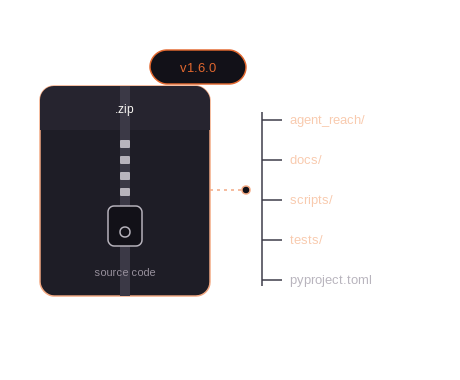
Illustration of the AgentReach v1.6.0 source archive opening into its agent_reach, docs, scripts and tests folders and pyproject.toml.

Release information

1.6 is a rebuild

Agents now call a single command, and everything AgentReach installs or stores lives under one folder.

Current version
1.6.0
Changelog date
23 Oct 2026
Installer
uv (was pipx/pip)
License
MIT
Python
3.10 or newer
  • Upgrading takes one sentenceAsk your agent to update AgentReach; keys and settings are kept and the old program is removed.
  • Adding a platform installs what it needsNo admin password; you only log in or enter a key.
  • Login platforms use a dedicated browserXiaoHongShu, X and others run in AgentReach’s own background browser, with parallel queries.
  • RSS and Exa search moved into “web”New versions are explained in plain words and applied only when you agree.

Worth knowing: according to the project’s changelog, 28 of 40 actions passed real acceptance testing before release, and Reddit, Instagram, Bilibili subtitles, LinkedIn, Xueqiu hot posts and stocks, and Xiaoyuzhou shipped without being verified on the release machine.

Installation / setup

Set it up in five steps

The documented route installs the latest release with uv. Using the archive from this page? The side panel covers that.

  1. Let your agent run commands

    If you’re delegating the install, turn on command execution in the agent’s settings first.

  2. Install uv if it’s missing

    Check with uv --version. If that fails:

    macOS / Linux
    curl -LsSf https://astral.sh/uv/install.sh | sh
    Windows (PowerShell)
    powershell -ExecutionPolicy ByPass -c "irm https://astral.sh/uv/install.ps1 | iex"
  3. Install AgentReach

    uv tool install https://github.com/Panniantong/Agent-Reach/releases/latest/download/agent-reach.zip

    Command not found afterwards? Run uv tool update-shell and open a new shell.

  4. Run setup

    agent-reach setup

    Default channels are switched on and the skill is placed for the agents it finds.

  5. Confirm what works

    agent-reach doctor --text

    Add more later in plain words, for example “add XiaoHongShu”, which runs agent-reach add xiaohongshu.

Warning

Don’t install it from PyPI

A PyPI package named agent-reach exists but is a different project. Use the GitHub release URL, as the project’s own guide instructs.

From the download

Installing the source archive

The archive is a standard Python project with a pyproject.toml. Extract it, open a terminal in the folder and run uv tool install ., then agent-reach setup.

Step by step

Full install guide

Every command explained, plus fixes for common snags, in the AgentReach install guide.

Troubleshooting

Read the code, follow the hint

Every failed command returns ok: false with a code, a message and a hint. Here’s what each code means.

CodeMeaningWhat to do
NEED_LOGINLogin missing or expiredRun agent-reach login <channel> and sign in yourself. Don’t delete credentials to fix connection errors.
NEED_SETUPA tool, key or browser connection is missingRun agent-reach doctor --text, then agent-reach add <channel>.
UPSTREAM_BROKENThe platform or upstream tool failedDon’t retry in a loop. Try later, then agent-reach check <channel>.
RATE_LIMITEDThe platform is throttlingWait for retry_after_seconds. Don’t switch accounts to keep requesting.
TIMEOUTNothing answered in timeRetry later or pass --timeout SECONDS; on restricted networks, set a proxy.
NOT_FOUNDThe content doesn’t existCheck the link, ID or username you passed.
BAD_INPUTWrong arguments or unknown channelRun agent-reach channels to see valid actions and usage.
agent-reach check <channel> --text

Live-tests a single channel. For region blocks, save a proxy once with agent-reach configure proxy. Full walkthrough: the error codes guide.

FAQ

Questions, answered plainly

Twenty answers in two blocks: getting AgentReach running, then channels, logins and safety.

Install and setup

10 questions
  • It gives a command-line AI agent read-only access to platforms its built-in search and fetch tools usually can’t reach: features behind a login, subtitles and transcripts from video, Chinese platforms, and cleanly structured data. Your agent calls one command, agent-reach, and gets a JSON result back.

  • Any agent that can run terminal commands. Setup places its skill automatically for Codex, OpenCode, Cline, Warp and Zed (which read the shared folder) and links it into Claude Code, OpenClaw, Hermes, Cursor, Gemini CLI, GitHub Copilot and Windsurf when they are installed. Others can be added with agent-reach skill link <dir>.

  • Yes. When Claude Code is installed, setup links the AgentReach skill into its skill folder so Claude Code knows when and how to call agent-reach. Our Claude Code guide covers the details.

  • The project’s install guide covers macOS, Linux and Windows, with a uv install command for each. It needs Python 3.10 or newer, which uv can manage. On Windows, where file links may not be allowed, the skill is copied instead of linked.

  • The PyPI package called agent-reach is not this project. The official instructions install from the GitHub release URL with uv tool install, and you should do the same.

  • It is the AgentReach v1.6.0 source code archive (.zip), served by a SourceForge mirror of the project’s GitHub repository. This site doesn’t host or modify it. You can install from the extracted folder with uv tool install . or use the documented release URL instead.

  • No. uv installs without an admin password, and when you add a channel, missing helpers such as ffmpeg, Node.js or the dedicated browser are installed privately under AgentReach’s own folder.

  • Tell your agent “add XiaoHongShu” or “remove V2EX”, or run agent-reach add <channel> and agent-reach remove <channel> yourself. Removing a channel also clears its login and any private tools nothing else uses. Removed default channels stay removed across updates.

  • Yes. It is released under the MIT license. Some optional features rely on third-party services, such as a Groq or OpenAI key for speech-to-text, which may have their own terms or costs.

  • Run agent-reach update to upgrade the program, every added channel’s tools and the skill. To uninstall, tell your agent “Uninstall Agent Reach” or run agent-reach uninstall: it lists what it will remove from ~/.agent-reach/ first and only removes what AgentReach installed.

Channels, logins and safety

10 questions
  • The default channels: GitHub, YouTube, web, V2EX and Bilibili. Optional channels such as Reddit, LinkedIn, XiaoHongShu, Xueqiu, BOSS and Xiaoyuzhou are switched on when you ask for them.

  • There is an experimental Instagram channel for user search, profiles and user posts. It needs a login, and the project notes that it was rate limited during 1.6 release testing. See the Instagram channel guide.

  • It works, but the platform fights automation harder, so it can break at any time. In 1.6 the experimental channels are X (Twitter), Facebook and Instagram.

  • No. AgentReach is read-only. It searches and reads; it never posts, comments, likes or sends messages.

  • No. It never logs in for you and never asks for a password. When a site needs you to sign in again, AgentReach opens a login window and you sign in yourself.

  • They run in AgentReach’s own dedicated browser, in the background and without windows, never in your everyday browser. Some platforms can reuse a login that already exists on your computer for that one site, read-only. The browser opens when needed and closes after ten idle minutes.

  • The project recommends a secondary account. A reused login is usually your main one, and platforms may restrict accounts used for automation. Ask your agent to switch accounts, or use agent-reach logout <channel> and log in again.

  • Not for most channels. Speech-to-text for YouTube needs a Groq or OpenAI key, and Xiaoyuzhou podcast transcription needs a Groq key. Enter keys in your own terminal, for example agent-reach configure groq-key, never in a chat.

  • Not in the usual sense. It is a read-only layer that installs, tests and orders existing upstream tools (such as yt-dlp, bili-cli, OpenCLI, Jina Reader and Exa) and returns their results in one format. You are still responsible for following each platform’s terms. More in Is AgentReach a scraper?

  • Run agent-reach doctor --text for an overview and agent-reach check <channel> --text for a live test, then follow the error’s hint. agent-reach update often helps, since upstream tools change. The troubleshooting guide explains every code.