Fixes
AgentReach error codes explained, and how to fix each one
The route in brief
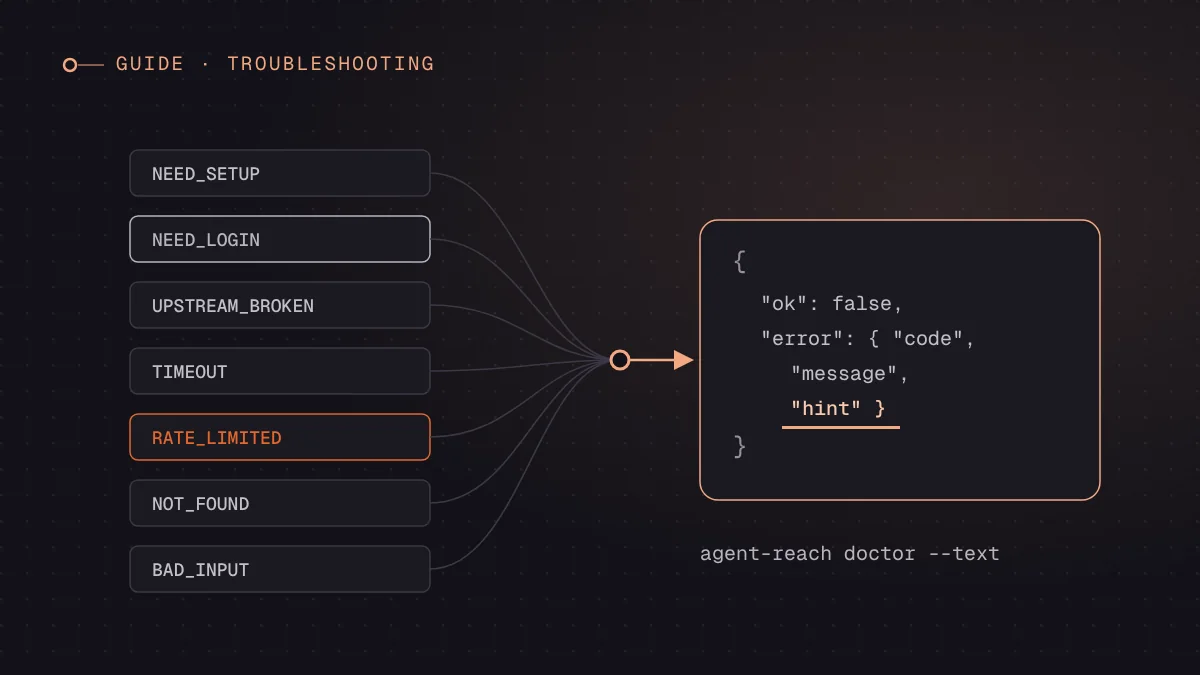
- Every failure returns
ok: falsewith an errorcode,messageandhint. - Start with
agent-reach doctor --text, thenagent-reach check <channel> --text. - Follow the hint; it is usually the exact next command.
- Still stuck: update, remove and re-add the channel, or roll back a release.
AgentReach is designed so that failures are specific. Instead of a stack trace, your agent gets a short code and a hint that usually names the exact next step. This guide lists every error code, explains the doctor statuses, and covers the fixes that go beyond a single command: proxies, rollbacks and clean reinstalls of a channel.
Start with two commands
agent-reach doctor --text            # offline status of every channel
agent-reach check <channel> --text   # live test of one channel
doctor is quick and doesn’t touch the network; it reports what AgentReach last knew about each channel. check runs a real test against the platform. If you want fresh results, run check first.
What a failure looks like
From 1.6, every command prints one JSON object. A failed call looks roughly like this:
{
  "ok": false,
  "error": {
    "code": "NEED_LOGIN",
    "message": "…",
    "hint": "…"
  }
}
Your agent should read error.code to decide what kind of problem it is, and error.hint for what to do. When the problem comes from an upstream tool or platform, 1.6 passes the original message and help through unchanged, so the agent can tell you which platform is temporarily unavailable.
Every error code
NEED_SETUP
A tool, key or selected browser connection is missing. Run agent-reach doctor --text and follow the problem listed for that channel. agent-reach add <channel> installs whatever the channel needs.
NEED_LOGIN
The login is missing or has expired. Run agent-reach login <channel> and sign in yourself in the window that opens. Don’t delete credentials to fix a connection or platform-verification error; that usually makes things worse. In 1.6, cases that used to be misreported as broken tools now correctly say NEED_LOGIN, including Xueqiu community content, Bilibili subtitles and LinkedIn without a login.
UPSTREAM_BROKEN
The upstream tool or platform failed. Don’t retry in a loop. Try again later, look at the upstream error message, then run agent-reach check <channel>. If it is still broken, open an issue on the project’s GitHub with the message.
TIMEOUT
No backend answered in time. Retry later, or pass a larger --timeout SECONDS. On a restricted network, set a proxy (see below).
RATE_LIMITED
The platform is throttling you. Wait for retry_after_seconds. The project is explicit that you should not switch accounts or backends to keep requesting.
NOT_FOUND
The content doesn’t exist. Check the link, ID or username.
BAD_INPUT
Wrong arguments, or an unknown channel or action. Run agent-reach channels for valid actions and their usage.
Other messages you may see
PLATFORM_BLOCKED means stop and check the platform’s own page yourself. BUSY means another AgentReach command is using the same browser; try again shortly. Browser channels can run up to two queries per platform and four in total, with extra requests queued.
Doctor statuses
| Status | Meaning | What to do |
|---|---|---|
not_added | Optional channel not turned on | agent-reach add <channel> |
needs_setup | Something is missing | Add the channel or follow the listed setup step |
needs_login | Last live check failed only on login | agent-reach login <channel> |
unverified | Set up, no live check in 24 hours | agent-reach check <channel> |
search_ready | Search returned results recently | Read and other actions need their own checks |
ready | Passed recorded live checks in 24 hours | Nothing |
cooldown | A rate limit is still active | Wait for retry_after_seconds |
broken | Last live check failed for another reason | agent-reach update, then check again |
If a channel shows regressed: true, an action passed in the previous check and failed in the latest one, which usually points at a platform change.
Fixes beyond a single command
Set a proxy for blocked regions
Some platforms block certain networks or regions. Save a proxy once:
agent-reach configure proxyThe address is asked for with hidden input because it may contain a password. An agent without an interactive prompt can pipe it in with agent-reach configure proxy --stdin. The proxy applies to every AgentReach command, and an HTTPS_PROXY already set in your shell takes precedence.
Update first
Upstream tools change constantly. agent-reach update refreshes the program, every channel’s tools and the skill, and fixes a surprising number of “broken” channels.
Remove and re-add a channel
agent-reach remove <channel>
agent-reach add <channel>
Removing clears the channel’s login, its cookies in AgentReach’s browser and any private tools nothing else uses. You will need to log in again afterwards.
Roll back a bad release
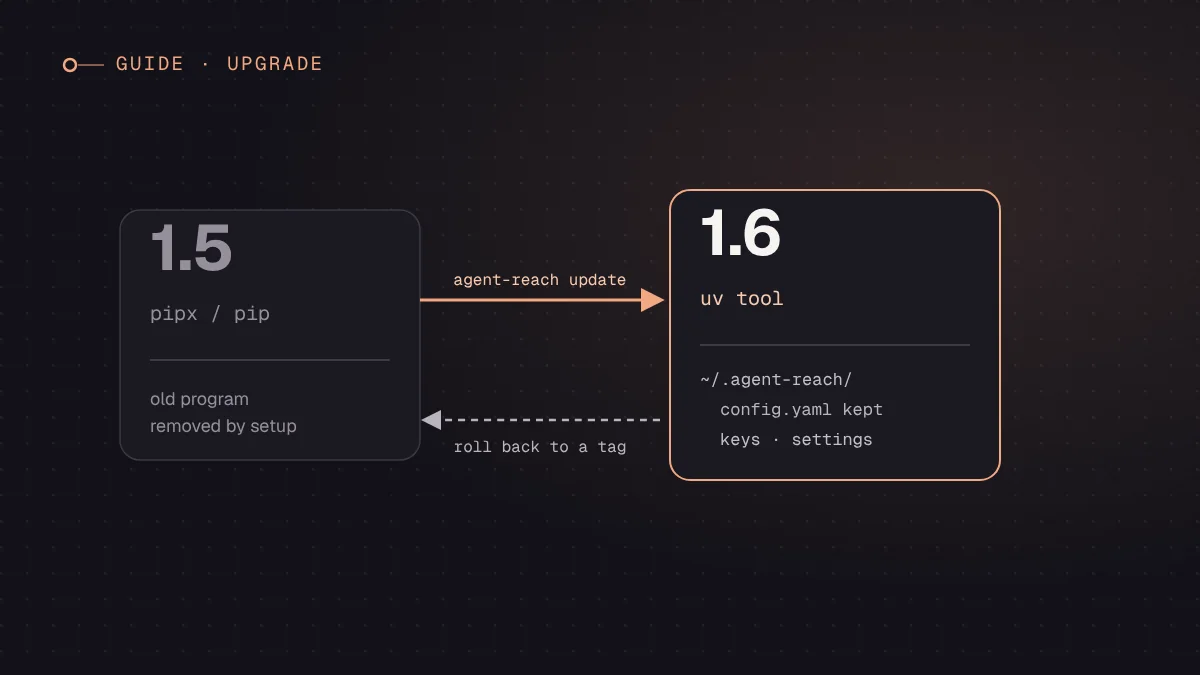
If a new version broke something, install the previous tag and sync the tools to it. Our upgrade guide has the commands.
Skill not picked up
If your agent seems unaware of AgentReach, run agent-reach skill to see where the skill is and which links exist. The skill guide covers this in depth.
Reporting a problem
When nothing helps, open an issue on the project’s GitHub repository with the output of agent-reach doctor --text and agent-reach check <channel> --text, with any personal data removed. Our GitHub guide shows what a useful report includes. For login-specific trouble, see logins and account safety.